FDM Warping Fixes: A Step-by-Step Guide to Prevent Part Failure
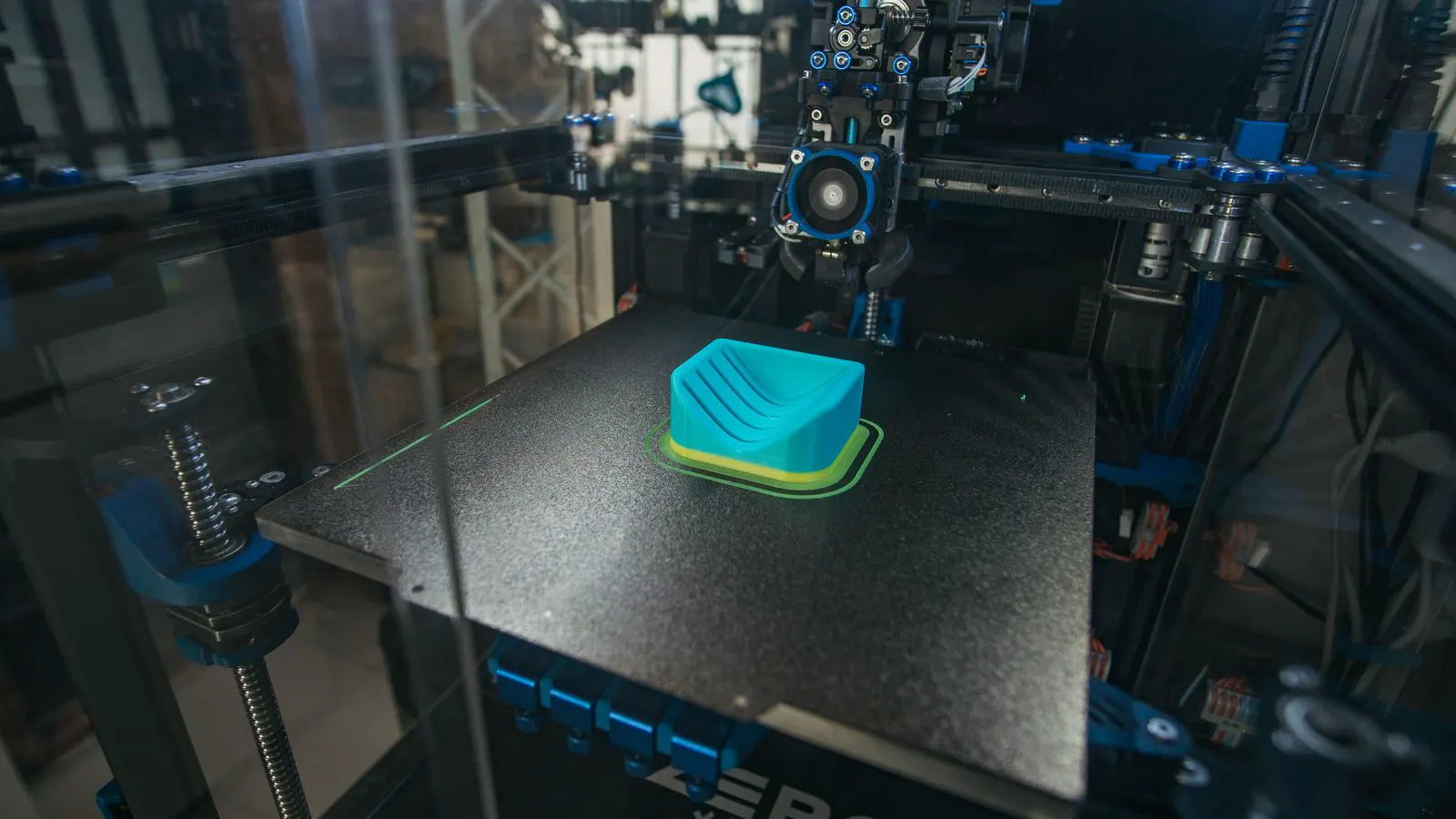
FDM warping occurs when material cools unevenly, pulling parts off the bed. This guide lists common symptoms, likely causes, and specific fixes. You will also find essential prevention tips to reduce part failure and improve your additive manufacturing workflow.
- FDM warping is primarily caused by thermal contraction and insufficient bed adhesion.
- Adjusting bed temperature, first layer settings, and enclosure conditions are the most effective fixes.
- Selecting the correct filament type and using a heated enclosure can significantly reduce part failure.
- Preventive maintenance, such as leveling and nozzle cleaning, ensures consistent layer adhesion.
- Monitoring the first few layers is critical for catching warping early in the process.
Warping is one of the most common and frustrating issues in FDM printing. It typically manifests as the corners of a part lifting away from the build surface, which can lead to part failure. Understanding the thermal dynamics behind this problem is essential for achieving reliable results in industrial settings.
What causes FDM warping?
Warping happens when the printed material cools and shrinks. As the filament cools, it contracts, creating internal stresses that pull the part upward. This effect is more pronounced in materials with high crystallinity, such as ABS or Nylon. The rate of cooling and the difference in temperature between the bottom and top layers play a major role in the severity of the deformation.
How to diagnose FDM warping
Before applying fixes, it is important to identify the specific type of failure. Different symptoms point to different underlying mechanical or thermal issues. By analyzing the part and the printer settings, you can narrow down the cause.
| Symptom | Likely cause | What to do |
|---|---|---|
| Corners lifting first | Insufficient bed adhesion or high material contraction | Increase bed temperature, clean the bed surface, or use a glue stick. |
| Part peeling off mid-build | Nozzle temperature too high or bed level incorrect | Lower extruder temperature and verify the bed leveling procedure. |
| Warping only on large flat bases | High thermal mass difference or lack of enclosure | Enable a heated enclosure or reduce the cooling fan speed. |
| Uneven shrinkage on one side | Drafting or airflow from the environment | Position the printer away from vents and ensure the build plate is flat. |
| Bubbles in the part | Moisture in the filament or clogged nozzle | Dry the filament and clean or replace the nozzle tip. |
Adjusting thermal settings
The temperature of the build plate is the single most important factor in preventing FDM warping. If the bed is too cold, the first layer cools rapidly and contracts before it can bond properly to the surface. If the bed is too hot, the material may become too soft and lose its shape. Finding the optimal temperature range for your specific filament is a critical step.
Most industrial printers allow you to adjust these temperatures independently. Start with the manufacturer’s recommended range and adjust in small increments. For example, if you are printing a material with a high thermal expansion rate, you may need to increase the bed temperature by five to ten degrees. Monitor the behavior of the first layer to see if the part is sticking better or starting to lift.
Optimizing first layer parameters
The first layer is the foundation of your part. If it does not adhere correctly, the rest of the build is compromised. You need to ensure that the nozzle is at the correct distance from the bed. A nozzle that is too high will not lay down enough material, while one that is too low will drag the filament and cause clogs.
Adjust the first layer height to match your nozzle diameter. A slightly higher first layer height, often around 0.2 to 0.25 mm for a 0.4 mm nozzle, can help improve adhesion. You should also consider the flow rate and speed for the first layer. Printing the first layer slower than the rest of the part allows the material to settle and bond more effectively.
Managing enclosure and airflow
In an open environment, air currents and room temperature fluctuations can cause significant warping. Cold air blowing across the part as it cools increases the rate of thermal contraction. This is particularly problematic for materials like ABS, which are prone to warping. A heated enclosure helps maintain a stable temperature around the build area, reducing the thermal gradient between the hot part and the cooler surroundings.
If you cannot install a full enclosure, you can use a simple draft shield to block airflow from fans or air conditioning units. Ensure that the printer is not placed near a window or a door that may cause drafts. Consistent thermal conditions are essential for reducing the likelihood of part failure.
Choosing the right filament and settings
Not all filaments are created equal. Some materials, such as PLA, are less prone to warping because they have lower thermal expansion and are amorphous. However, engineering-grade materials like PETG, ABS, and Nylon often require more precise temperature control and a heated enclosure to print successfully. When selecting a filament for a critical part, consider its thermal properties and the required mechanical strength.
Additionally, the infill pattern and orientation of the part can affect warping. A solid infill pattern or a dense infill percentage can help distribute heat more evenly. Orienting the part with a large, flat surface on the bed increases the contact area and improves adhesion. Avoid orienting the part in a way that creates thin, unsupported bridges that are more likely to flex and lift.
Monitoring the print process
The most effective way to catch warping early is to monitor the first few layers of the print. If you see the corners lifting, stop the print immediately. It is much easier to fix a failed layer than to salvage a warped part. Use the printer’s pause function to adjust settings or clean the bed surface if necessary.
Regular maintenance of the printer also plays a role in preventing warping. A dirty bed surface or a worn nozzle can lead to inconsistent adhesion. Clean the build plate with isopropyl alcohol before each print to remove any residue. Check the nozzle for clogs and replace it if the print quality is degrading. Consistent maintenance ensures that the printer performs as expected and reduces the risk of unexpected failures.
Prevention tips for long-term success
Preventing FDM warping requires a systematic approach to your printing process. By combining the right materials, settings, and environment, you can significantly reduce the occurrence of part failure. Here are some key tips to help you achieve consistent results.
- Use a heated enclosure: A stable thermal environment is the best defense against warping. If you do not have an enclosure, use a draft shield to block external air currents.
- Clean the build surface: A clean, flat build plate is essential for proper adhesion. Use isopropyl alcohol to remove oils and residue from the surface before each print.
- Level the bed regularly: Ensure that the bed is perfectly flat and that the nozzle is at the correct distance. An uneven bed can cause parts to lift on one side.
- Adjust bed temperature: Experiment with different bed temperatures to find the optimal range for your filament. Higher temperatures generally improve adhesion but can also cause other issues.
- Monitor the first layers: Watch the first few layers closely to catch warping early. If you see lifting, stop the print and make adjustments before continuing.
By following these steps and maintaining a systematic approach to your printing process, you can minimize the risk of FDM warping and produce high-quality parts consistently.
Frequently asked questions
Why does FDM warping happen?
FDM warping occurs when the printed material cools and shrinks, creating internal stresses that pull the part off the bed. This is especially common with materials like ABS and Nylon.
How can I fix FDM warping on a large part?
For large parts, use a heated enclosure, increase the bed temperature, and orient the part with a large, flat surface on the bed. These measures help reduce thermal contraction and improve adhesion.
Does the type of filament affect warping?
Yes. Amorphous filaments like PLA are less prone to warping, while semi-crystalline materials like ABS and Nylon are more susceptible. Choose the right filament for your application.
Can I prevent FDM warping by adjusting the first layer settings?
Yes. Adjusting the first layer height, speed, and flow rate can improve adhesion and reduce the likelihood of warping. Ensure the nozzle is at the correct distance from the bed.
Is a heated enclosure necessary for FDM printing?
A heated enclosure is highly recommended, especially for materials like ABS and Nylon. It helps maintain a stable temperature around the build area and reduces the thermal gradient that causes warping.